 OriginalCleanup preview
Upload from a lease turnover walk-through
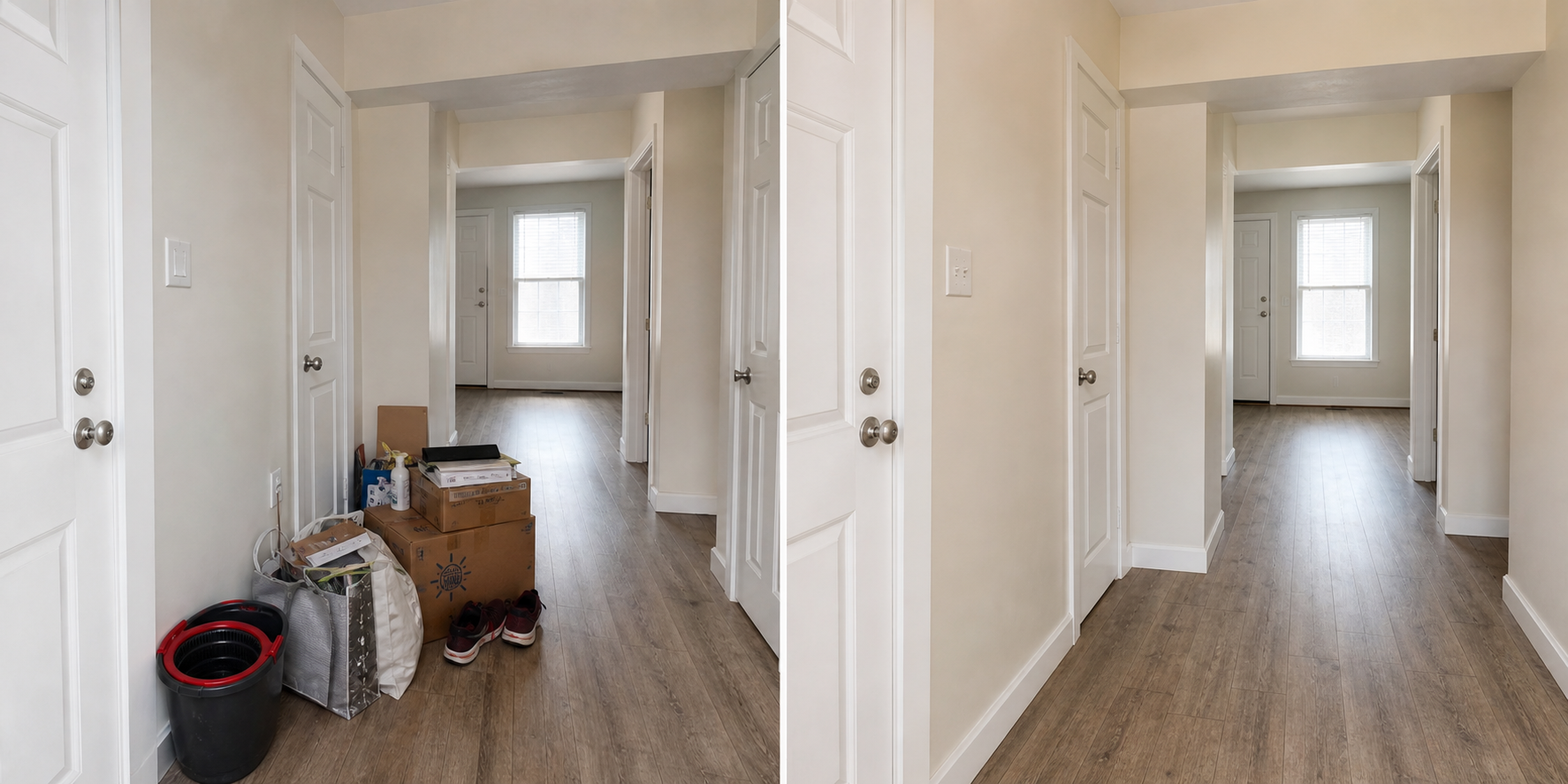
Property managers can test an entryway or hallway photo where boxes, shoes, and cleaning supplies distract from the actual unit condition.
Upload a messy rental room photo, confirm you have the right to use it, choose an output size, and process it with AI for tenant-occupied rental photo cleanup.
Upload and process a rental photo on the left. This area stays empty until the backend API returns the processed cleanup result.
Review every edited image before publishing. Do not use AI cleanup to hide defects, change permanent property features, or misrepresent the rental. Keep the original photo and disclose AI edits when required.
The cleanup tool is designed around comparison, not blind export.
OriginalCleanup previewProperty managers can test an entryway or hallway photo where boxes, shoes, and cleaning supplies distract from the actual unit condition.
 OriginalCleanup preview
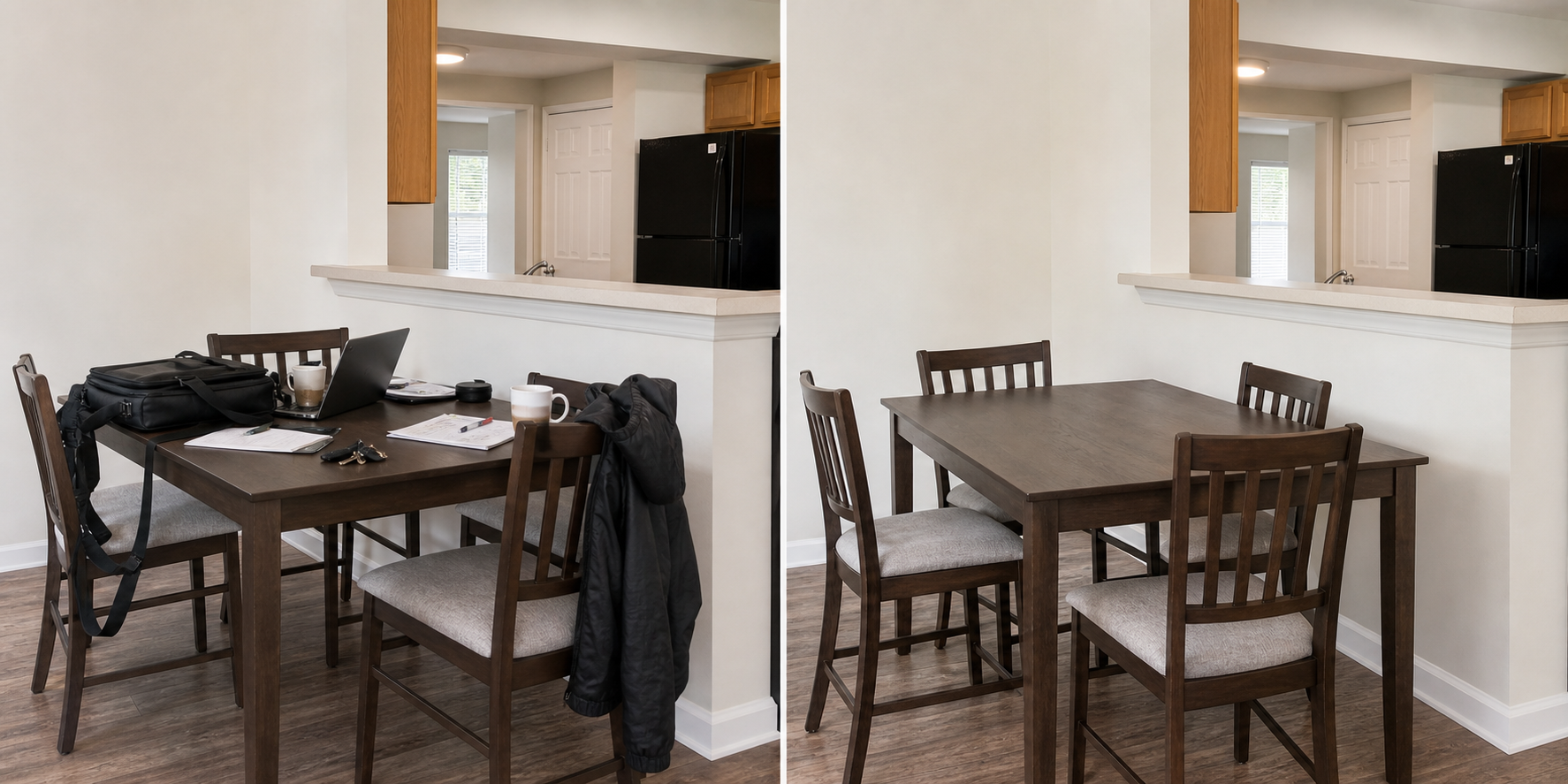
Leasing agents can remove small table clutter, bags, and personal items from a showing photo before comparing the result with the original.
 OriginalCleanup preview
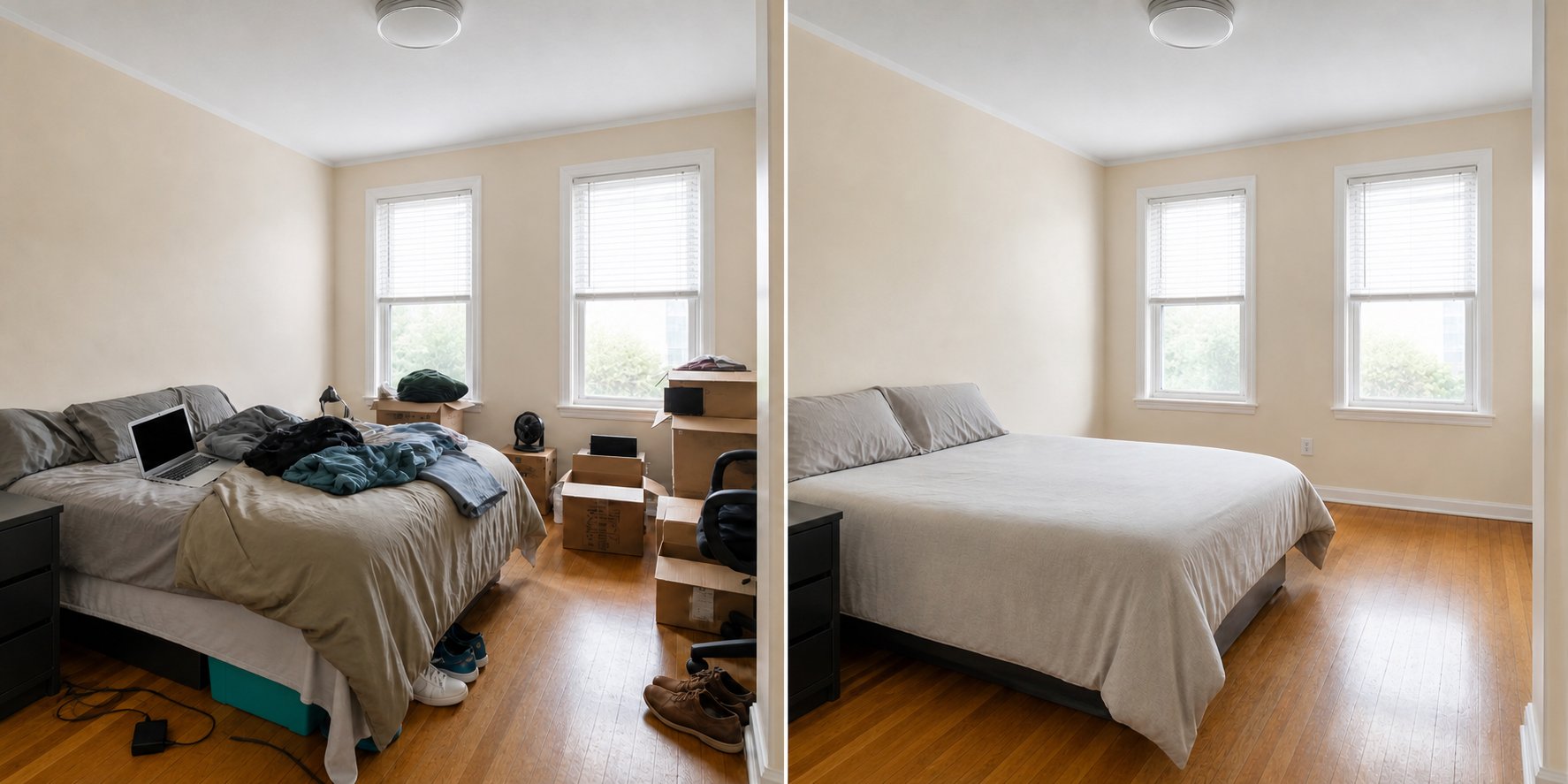
Landlords can check whether laundry, boxes, and loose items can be removed without changing the room layout or permanent finishes.
Start with a bedroom, kitchen, living room, or other tenant-occupied room photo you have permission to use.
Review the original beside the cleanup result before deciding whether the image is listing-ready.
Keep originals, save approved edits, and repeat the workflow across rooms in the same rental listing.
The tool page explains the product, audience, task, differences, and next step in normal page content.
This is an online rental photo cleanup tool for preparing messy rental listing photos for review.
Landlords, agents, real estate teams, and property managers use it when occupied rooms still contain tenant belongings.
It helps clean temporary clutter from listing photos, including personal items, boxes, laundry, dishes, and other visual distractions.
It is more rental-specific than generic AI image tools because it keeps the goal narrow: cleanup, comparison, and responsible review.
Try one photo, compare the cleanup result, and move to pricing when you are ready to process more rental images.
Review every edited image before publishing. Do not use AI cleanup to hide defects, change permanent property features, or misrepresent the rental. Keep the original photo and disclose AI edits when required.